

Dildo Coach (v2.0.1) by GusDark
2D games
About the game
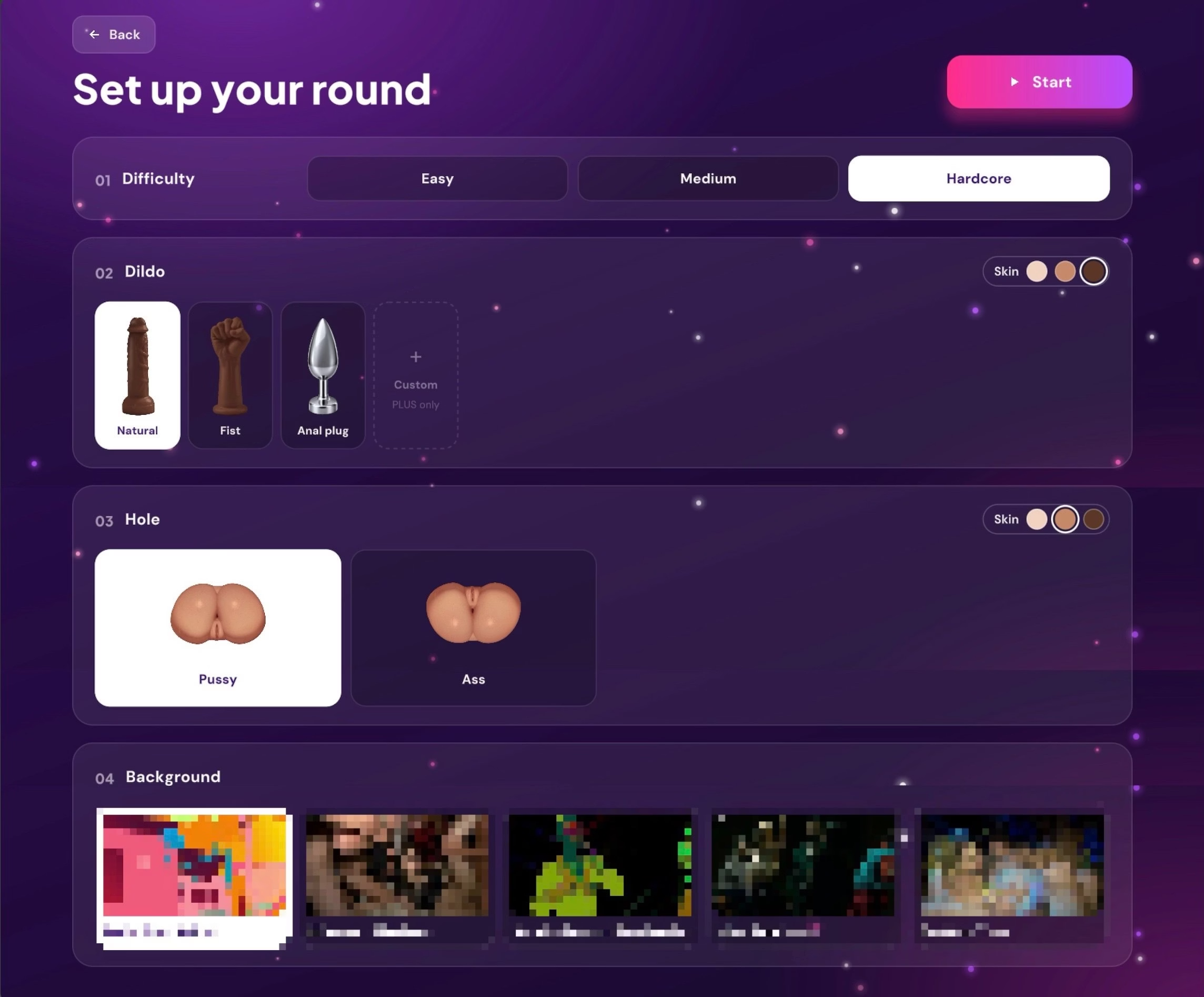
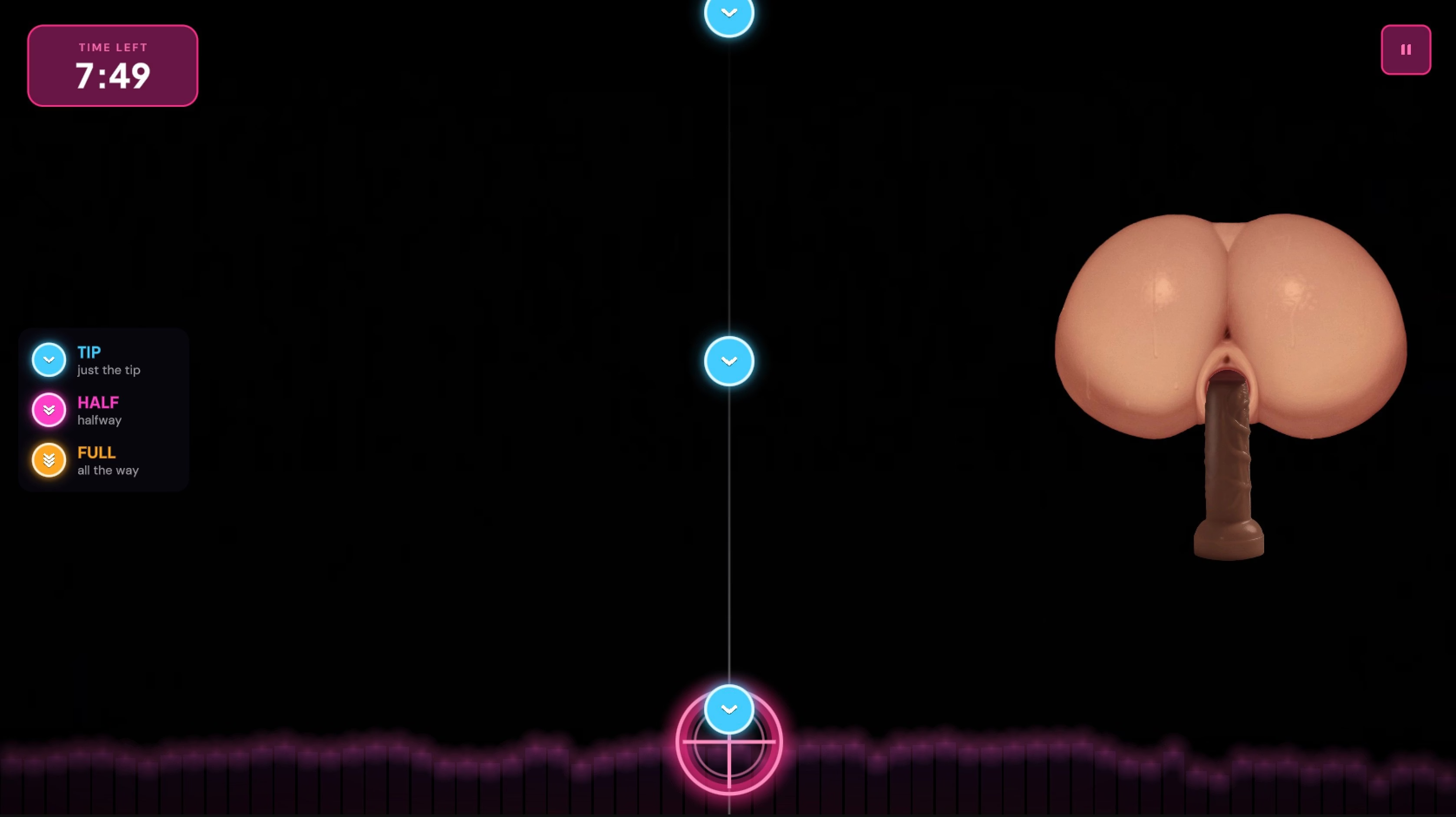
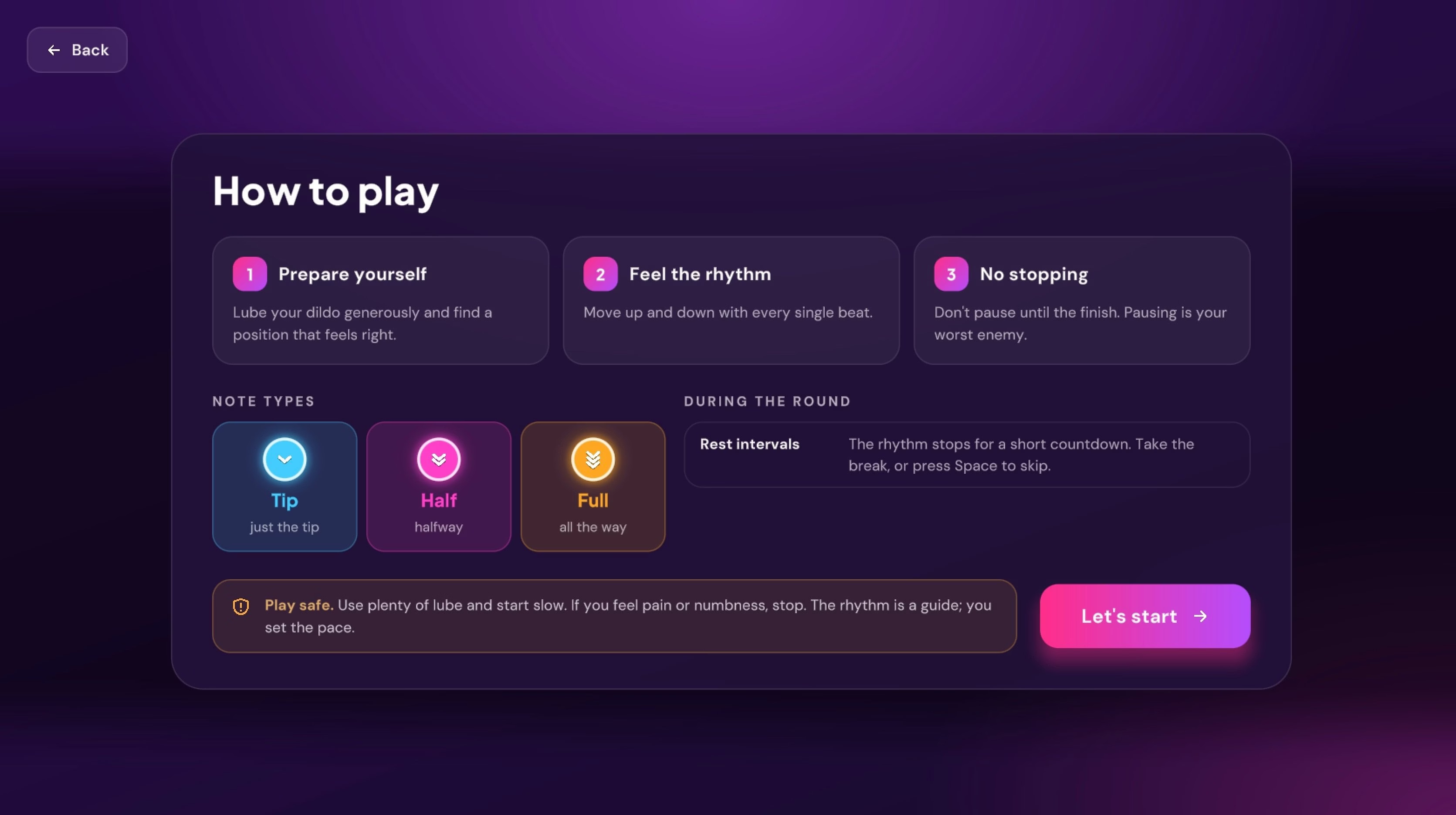
Notes travel down a lane to a target and tell you how deep to go: Tip, Half or Full. The on-screen dildo moves into the hole with them. Each session follows a natural arc of warm-up, build, climax and cool-down, scaled to the length of your video, with breathing guidance and optional rest breaks.
Last update: 2026-11-11
Released: 2026-10-15
Creator (developer):
Censored: No
Version: 2.0.1 (Free edition)
OS: Windows, Mac
Language: English
Genre:
How to install:
1. Extract the whole .zip to a normal folder (e.g. Desktop or D:\Games). Don't run it from inside the .zip and avoid "Program Files".
2. Run "Dildo Coach.exe".
3. If you see "Windows protected your PC", click "More info" → "Run anyway". The game isn't code-signed, but it's safe and fully offline.
4. Put your videos in the "Videos" folder next to the .exe, or pick any folder in Settings → Library → Browse, then press Rescan.
5. Use H.264 .mp4 videos. HEVC/H.265 needs Microsoft's "HEVC Video Extensions", and AV1 isn't supported. Convert any video for free with HandBrake (preset "Fast 1080p30").
6. Windows "N" editions: install Microsoft's free "Media Feature Pack" or videos won't play.
7. Problems? Post your log from: %USERPROFILE%\AppData\LocalLow\GusDark\Dildo Coach\Player.log
Mac:
1. Double-click the .zip to extract "DildoCoach.app" and move it to Applications.
2. First launch: right-click the app → Open → Open.
On macOS 15 Sequoia or newer: open it once, close the warning, then go to System Settings → Privacy & Security and click "Open Anyway".
3. If it says the app "is damaged", open Terminal and run:
xattr -dr com.apple.quarantine /Applications/DildoCoach.app
4. Add videos in Settings → Library → Browse (pick any folder), then press Rescan.
5. Works on Apple Silicon and Intel Macs, macOS 11 Big Sur or newer.
6. Problems? Post your log from: ~/Library/Logs/GusDark/Dildo Coach/Player.log
Changelog:
- Video sound no longer gets garbled when the picture can't keep up.
- Videos in formats that won't play (AV1, VP9, and HEVC on Windows) are flagged before the session starts.
v2.0
- Complete redesign of every screen.
- New body and dildo art; holes open to fit each dildo.
- Skin tones (White, Latin, Black) for bodies and dildos.
- New Fist dildo.
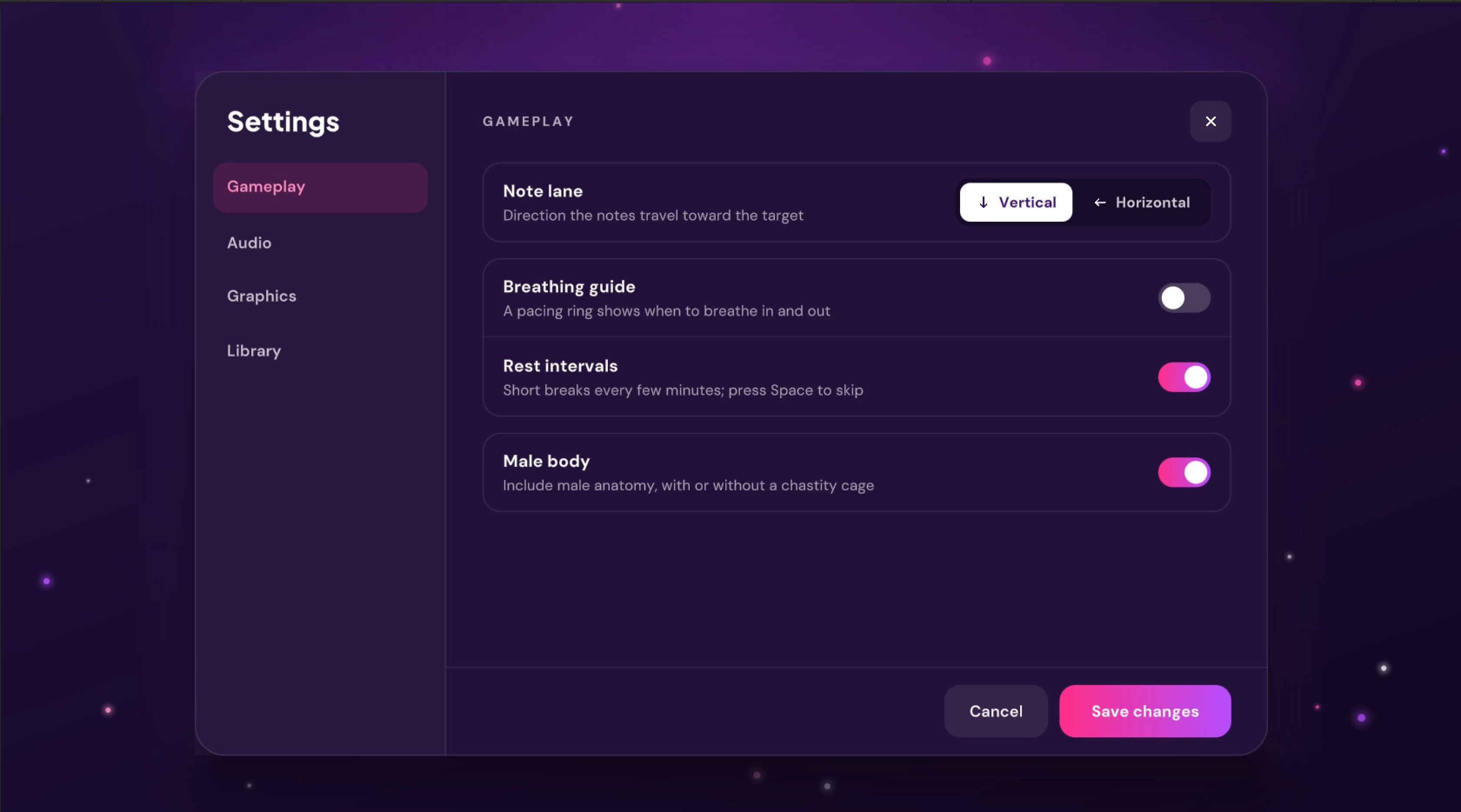
- Optional chastity cage for the Male body.
- First-launch content preferences: Male body is off until you turn it on.
- Vertical or horizontal note lane.
- Stats history of your last 20 sessions.
- Video library with thumbnails in Settings.
- Many fixes.
Developer Notes:
- Videos: use H.264 .mp4 (1080p recommended). HEVC/H.265 needs Microsoft's HEVC Video Extensions on Windows, AV1 isn't supported, and 4K/60 fps needs a recent PC. Convert any video for free with HandBrake ("Fast 1080p30" preset).
- Windows "N" editions need Microsoft's free Media Feature Pack to play videos.
- Requirements: Windows 10 64-bit version 21H1 or newer / Windows 11, or macOS 11 Big Sur or newer. DirectX 11 graphics card.
Screenshots

Downloads
DildoCoach-windows-x64-v2.0.1-5a8a9a.xgames.zip
DildoCoach-macos-v2.0.1-5a8a9a.xgames.zip
Related Games

Laughter Land [final] by Langmaor
Dick is a young boy living in a village who is bored with schoolwork and his everyday life. One day, he attends the village fair and meets a mysterious boy dressed like a court jester called Guillered who offers to bring him to a world called Laughter Land where one’s every wish is granted and there is no work, only play and no one ever grows up. Dick agrees and is brought to Laughter Land.Last update: 2026-11-11Released: 2006-10-27Original Title: ラフターランドCreator (developer): LangmaorTranslator:Version: FinalOS: WindowsLanguage: English (Gemini 3.8 Flash/GPT 6 Luna TL)Voice: JapaneseLength: Medium (23h20m)VNDB:Genre:2DCG, Anal sex, Censored, Drugs, Fantasy, Gay, Groping Incest, Japanese game, Male protagonist, Monster, Multiple endings, Prostitution, Rape, Romance, Teasing, VoicedHow to install:1. Extract and run.

Escape From Horny Planet (v0.01) by Pr08lem
"Escape From Horny Planet" is an adult adventure visual novel focused on feminization, femboys, furry, humiliation, corruption, and monsters. Playing as Ariandel McLovin, a lieutenant of the Space Empire whose ship was destroyed in orbit of a former imperial outpost, you must find your wife and a way to escape this forgotten world. Make the right choices to avoid falling into the lustful clutches of its inhabitants, because if you don't, you'll end up being someone's wife yourself.Thread updated: 2026-11-11Release date: 2026-11-10Creator (developer): Pr08lemCensorship: NoVersion: 0.01OS: WindowsLanguage: EnglishGenre:2dcg, Male protagonist, Feminization, Gay, Humiliation, Furry, Multiple endings, Anal sex, Corruption, Creampie, Male domination, Rape, Monster, Animated, SissificationHow to install:Unzip and run.Changelog:v0.01 Initial Release

Futanari Planet [final] by MAGNA GAMES
Description:What if alien women had a penis instead of a vagina? Meet women from other planets, androids, and even a she-devil... and enjoy sex across the whole galaxy! Enjoy this visual novel!Last update: 2026-11-10Released: 2026-11-06Creator (developer): MAGNA GAMESCensored: NoVersion: FinalOS: WindowsLanguage: English, French, Italian, German, Spanish - Spain, Portuguese - Brazil, Russian, Japanese, Simplified Chinese, KoreanGenre:2DCG, AI CG, Male Protagonist, Anal Sex, Big Tits, Creampie, Exhibitionism, Futa/Trans, Oral Sex, Titfuck, Voyeurism,How to install:1. Extract and run.